
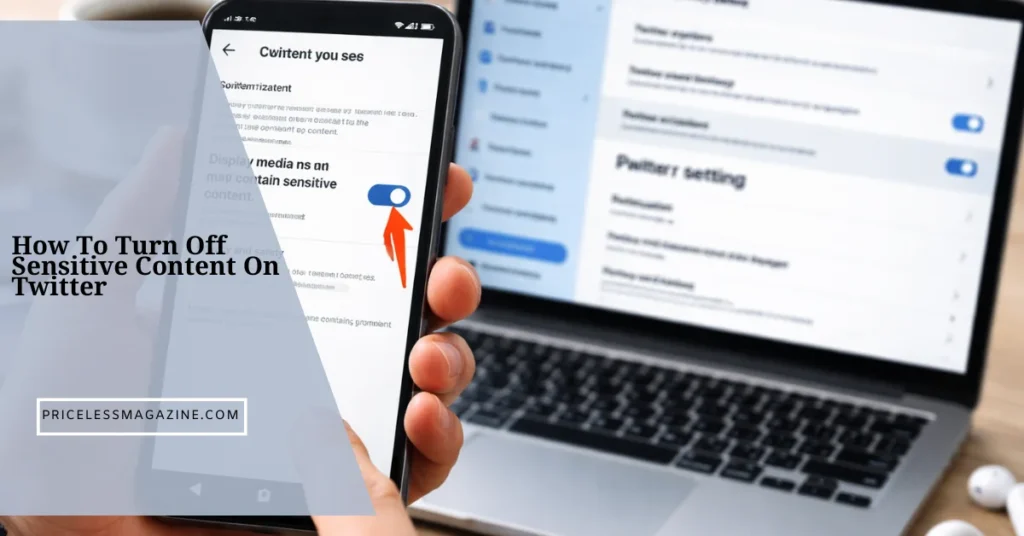

How to turn off sensitive content on Twitter is straightforward once you know where the setting lives. You need to enable sensitive media display in your account privacy settings and adjust search filters so media is no longer hidden.
This page exists to remove confusion around missing toggles, mobile app limits, and why some accounts cannot see the option at all.
What Twitter Calls Sensitive Content
Twitter labels certain media as sensitive to protect users from unexpected exposure. This label does not mean the content is illegal. It means the media includes material that some users may want filtered.
Sensitive content can include graphic imagery, adult material, or intense themes. The label applies to media only, not regular text tweets.
This distinction matters because the setting controls media visibility, not who you can follow or what topics exist.
Why Twitter Hides Sensitive Content By Default
Twitter hides sensitive content by default to meet platform safety standards and regional regulations. New accounts and accounts without verified age details often have stricter defaults.
Another reason is advertiser safety. Content filters help Twitter balance open expression with brand safety requirements.
This is why sensitive content is hidden even when you follow accounts that regularly post it.
How To Turn Off Sensitive Content On Twitter Desktop
Desktop access is the most reliable way to change sensitive content settings. Even mobile users often need to use a browser for this step.
Accessing Privacy And Safety Settings
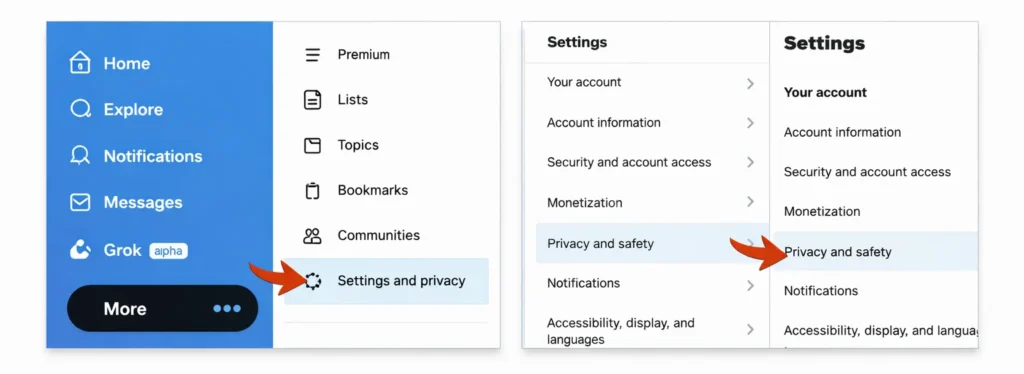
- Log in to Twitter on a desktop browser.
- Click on the More option in the left menu.
- Select Settings and privacy.
- From there, open Privacy and safety. This section controls what you see and how Twitter filters content.
Enabling Sensitive Media Display
Inside Privacy and safety, click Content you see. Find the option labeled Display media that may contain sensitive content.
Turn this option on. Once enabled, Twitter will no longer blur or hide sensitive media in your feed.
Changes apply instantly and sync across devices.
How To Turn Off Sensitive Content On Twitter Mobile
Mobile apps handle sensitive content differently depending on the operating system.
Android App Steps
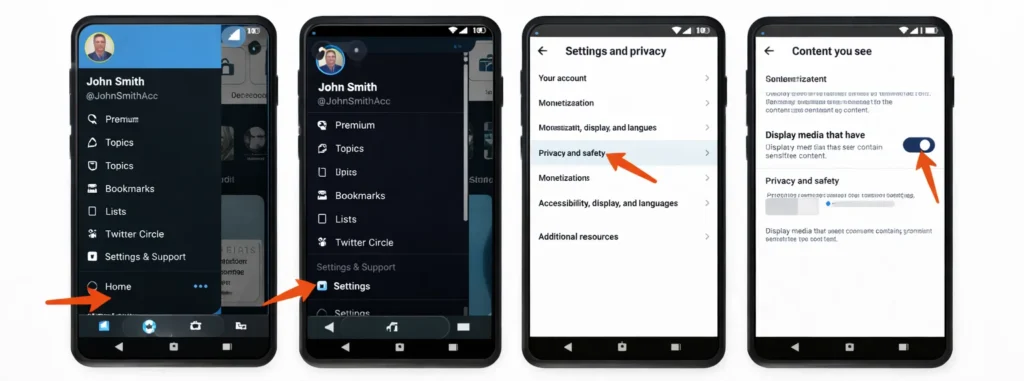
- Open the Twitter app
- Go to Settings and Privacy.
- Navigate to Privacy and safety, then Content you see.
- Enable Display media that may contain sensitive content. Android users usually have full access to this toggle.
iOS App Limitations And Workaround
On iPhone, the Twitter app often does not show the sensitive content toggle. This is due to app store content policies.
The workaround is simple. Open Twitter in a mobile browser or desktop browser, log in, and enable the setting there. Once enabled, the change applies to the iOS app automatically.
Why You Cannot See Sensitive Content Settings
Many users think the setting is broken when it is actually restricted.
Account Age And Profile Details
Very new accounts may not see the option immediately. Adding profile details and spending time on the platform can unlock it.
App Version Issues
Outdated apps may hide newer settings. Updating the app or switching to a browser resolves this issue.
Location Based Restrictions
Some regions restrict sensitive content visibility regardless of settings. In these cases, Twitter enforces filters at the platform level.
How To Turn Off Sensitive Search Filters
Even after enabling sensitive media, search results may still hide content. This is a separate setting.
Adjusting Search Preferences
Go to Settings and privacy, then Privacy and safety, then Content you see. Open Search settings.
Disable the option that hides sensitive content in search results.
Showing All Media In Search
Once this is turned off, Twitter search will show all media that matches your query, including sensitive posts from public accounts.
This step is essential and often overlooked.
What Still Stays Restricted After Turning It Off
Turning off sensitive content does not remove all limits. Protected accounts still hide tweets unless approved. Content removed for policy violations remains unavailable. Age-restricted content may still be limited if your account age is not confirmed.
Understanding these boundaries prevents frustration and false expectations.
Common Mistakes That Cause Settings To Reset
Some users report sensitive content turning back on. This usually happens due to logging out, switching accounts, or clearing cookies. Using multiple devices without syncing settings can also cause confusion. Checking settings after major app updates helps avoid surprises.
How To Verify Sensitive Content Is Fully Enabled
After changing settings, scroll through accounts known to post sensitive media. Media should appear without blurring or warning screens. Test search results as well. If images appear normally, the configuration is complete. If not, recheck both media and search settings on desktop.
What Actually Matters Vs Online Myths
Myth. Turning off sensitive content shows illegal material.
Reality. Only policy allowed media is shown.
Myth. Mobile apps always allow the toggle.
Reality. iOS often requires browser changes.
Myth. One toggle controls everything.
Reality. Media and search filters are separate.
Myth. Twitter hides content randomly.
Reality. Restrictions follow clear rules.
Who Should Keep Sensitive Content Turned On
- If you want a filtered experience or use Twitter in shared environments, keeping sensitive content hidden makes sense.
- Parents, workplace users, and public facing accounts often prefer default filters.
- The setting exists to give control, not force exposure.
When Twitter Settings Are Not Enough
If content still appears unwanted, muting keywords and unfollowing certain accounts is more effective than relying on global filters.
Curating your feed often matters more than platform-wide settings.
FAQs
Find answers to the most common questions
How to turn off sensitive content on Twitter iPhone?
Use a browser to log in to Twitter, enable sensitive media display, then return to the app. The change carries over.
Why can I not see sensitive content even after enabling it?
Check search settings separately and confirm your account is not restricted by region or age.
Does turning off sensitive content affect who I follow?
No. It only changes media visibility, not account access.
Can Twitter automatically turn sensitive content back on?
It may reset after logouts or app updates. Recheck settings if media becomes hidden again.
Is sensitive content available in all countries?
No. Some regions enforce permanent restrictions regardless of settings.
The Bottom Line That Actually Helps
How to turn off sensitive content on Twitter is not complicated once you know the structure. Enable sensitive media display, disable search filters, and use desktop settings if mobile options are missing.
Understanding why settings disappear and what still stays restricted saves time and frustration. With the right setup, you control what you see instead of guessing where content went.